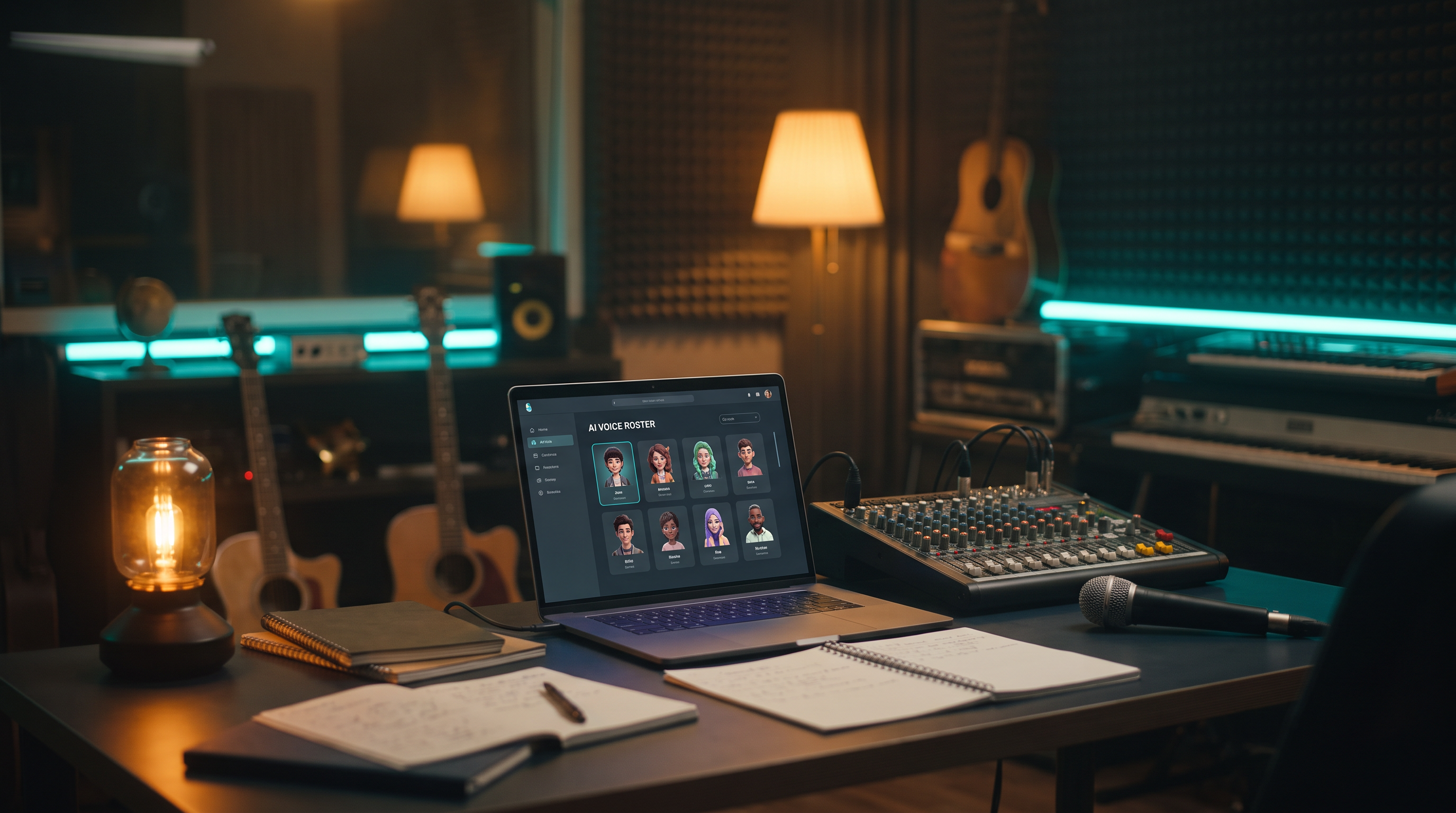
Listeners don't only remember songs — they remember voices. Distinct timbre is brand. Indie creators always wanted a recognizable vocal identity too, but session singers, vocal consistency across singles, and budget for multiple features made rosters a major-label luxury.
Virtual singer personas in AAiMusic Studio change that equation. Define an AI voice — name it, describe its character, clone its tone from reference — and reuse it across new lyrics, Library re-sings, and long-term catalog strategy. Not one-off generations. A roster you own.
What a virtual singer persona actually is
A persona is a persistent vocal profile stored in your account. Create one from Studio → Virtual singer: name (within platform limits), style descriptors, optional reference audio for cloning flavor. Once saved, pick that persona when generating new songs from lyrics or re-singing existing Library tracks — same voice, different songs. Fans who follow your project start recognizing the timbre the way they recognize a featured artist on a label.
Personas live on Premier plan alongside Full stems and Language swap — tools for creators shipping identity, not just singles.
Create vs re-sing vs swap — three modes of persona power
New song from lyrics — Paste structured lyrics, select persona, generate a full track sung in that voice. Ideal for Aria drafts you want performed by "your" virtual artist.
Re-sing Library track — Take an existing master and have the persona cover your own song — useful when the melody is right but you want uniform vocal brand across the catalog.
Vocal swap direction — Shift who sings what while keeping persona identity central to the brand story.
Combine with Language swap and you get the mind-bending stack: same virtual singer, multiple languages — a global artist that doesn't exist in physical form but exists consistently in your Library.
When you want a voice people recognize — not a new singer every time
You ship a song a month. Each one sounds good — but fans can't point to *your* singer the way they point to an artist they follow. You wish you had one vocal identity across releases, the way a band has a lead singer, without booking session vocalists for every single.
Virtual singer personas let you name a voice, describe its character, and reuse it on new songs and Library re-sings. Same timbre. New tracks. Your roster — not a random AI vocal every upload.
If you run a YouTube series, a TikTok music project, or a game soundtrack channel, a persona gives listeners someone to follow, not just another anonymous track in the feed.
Step-by-step: build your first persona
1. Upgrade to or confirm Premier access. Browse Virtual singer pages free on any tier; Generate requires Premier.
2. Open Studio → Virtual singer. Review preview cards for tone inspiration.
3. Create persona — name (memorable, searchable), style tags (breathy pop, gritty rap, warm alto), optional reference clip if the workflow supports your use case.
4. Save. Persona appears in your roster picker.
5. Select persona + lyrics (new song) or Library track (re-sing). Generate. Track saves to Library with persona metadata in your workflow memory.
6. Repeat on the next single. Consistency is the product — not perfection on track one.
Creative strategies that feel like a label roster
The virtual duo. Two personas — complementary timbres — alternate singles. Track A lead persona, Track B the other, duet on Track C with Duet tool on persona-sung masters.
The multilingual star. Persona sings original English; Language swap to Spanish then re-sing with persona on swapped lyrics for timbre continuity (advanced catalog play).
The content franchise. Weekly releases from "same artist" for a TikTok or YouTube series — voice consistency sells the character your audience follows.
The writer-producer split. You write with Aria; persona performs — clean division of labor in your head and in marketing copy.
Persona + Aria integration
On Create with Aria, Premier plan users can attach a selected persona to generation — lyrics from conversation, performance from your virtual singer. That closes the loop: Aria co-writes, persona performs, Studio finishes (Extend, stems, duet), Visual Studio packages. One platform, release pipeline.
Quality and ethics — be intentional
Personas should be your creative direction, not impersonations of famous living artists. Don't name personas after real stars or prompt "sound exactly like [celebrity]" — platform policies and basic ethics align against deception. Build original characters — backstory optional but powerful for content creators.
Quality tips: invest time in style descriptors; vague personas produce vague vocals. Feed structured lyrics. Re-sing when the first master's melody is right but vocal delivery needs persona alignment. Delete failed experiments from Library clutter — curate the roster story publicly.
Credits, storage, and tier
Premier plan required for persona Generate. Each song generation costs one song credit like other Studio tools. Personas persist in your account — you're building assets, not renting session time per release.
When to choose Premier for personas
Choose Premier when voice identity is part of your brand — not when you need one novelty cover. If every month you ship multiple tracks and want them to feel like one universe, personas are the Premier plan killer feature alongside Language swap and Full stems.
The wow — your roster, your rules
Ten years ago, building a fictional artist with consistent vocals across releases required budget most creators didn't have. Now you can name them, design their tone, release weekly, and expand globally with Language swap — from a laptop. That's not replacing human singers everywhere; it's giving you a path to a coherent sonic brand when the alternative was random anonymous AI vocals on every upload.
Virtual singer personas are how AAiMusic Studio stops being "finishing tools" and becomes artist infrastructure. Create one tonight. Sing something tomorrow. Build the roster all year.
Cover art prompts for Visual Studio Your virtual singer deserves a face and a myth — portrait energy, not studio gear. Use Visual Studio with prompts like:
- "Ethereal virtual performer emerging from constellation dust — half portrait, half galaxy — violet and champagne gold, fashion-editorial lighting, mysterious future-pop icon, square album cover, 4K, no readable text."
- "Holographic singer alone on a midnight stage, one white spotlight, distant audience as soft bokeh stars, cinematic solitude and star power, square 1:1, anamorphic flare, no text."
- "Original character portrait: androgynous vocalist, iridescent skin, hair flowing into audio spectrum waves, art nouveau meets futuristic R&B, gallery illustration, square cover, no celebrity likeness."
AAiMusic · Your imagination, your music
Keep reading
Related guides
 Studio tools
4 min
AAiMusic Studio Guide: All 8 Pro Tools — Voice, Stems, Duet & Language Swap
Complete guide to every AAiMusic Studio tool — Voice, Extend, Reimagine, Split & Full stems, Duet, Language swap, and Virtual singers. Tier access and how Studio helps you finish your music.
Read → Studio tools
6 min
Use Your Voice to Sing: AI Voice to Song Generator — Hum to Full Track
Use your voice to sing AI music — record a hum, whistle, or vocal and get a full studio song. Voice to song AI, sing your melody, voice recording to track. Complete Voice → Song guide for AAiMusic Studio.
Read → Studio tools
5 min
Extend & Reimagine AI Tracks: Lengthen and Remix Your Library
Extend songs from your Library or reimagine them with new genre, voice, duet, or mood. Workflow tips for Pro creators using AAiMusic Studio.
Read →